
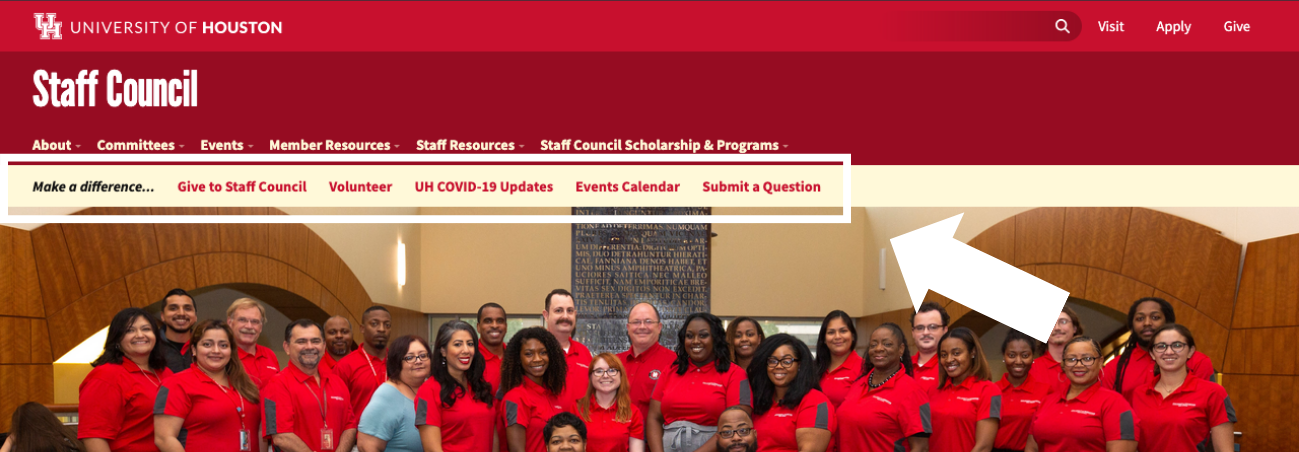
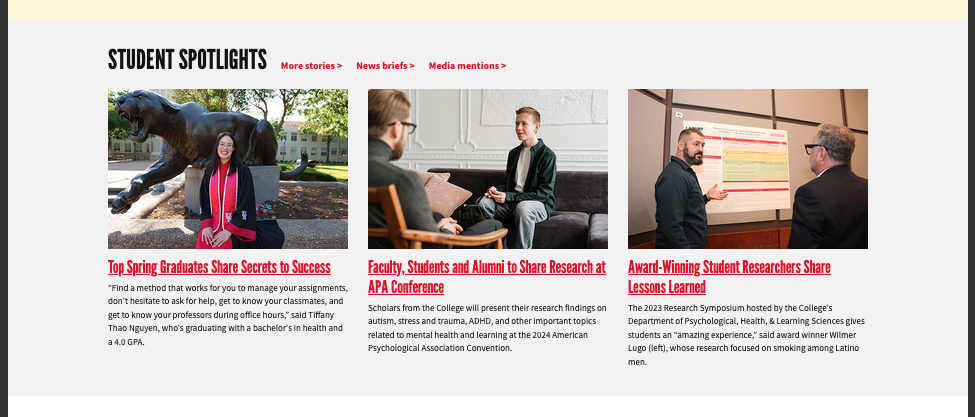

Snippets are reusable content blocks that can be added to pages.

Snippet icon

They can be used on both Landing Pages and Interior Pages. Unlike Assets, each Snippet is configurable and unique to the page where it’s placed. Below are visual examples of some of the most commonly used Snippets in the CMS for Interior Pages. Tutorials on how to configure and use each Snippet are linked through the red buttons.

Be sure to read the Getting Started page to see where to find the Snippet option in the MC Editor. (Hint- It's the puzzle piece icon next  to the "< >" button.)

Table of Contents:

Int = Interior page | LP = Landing page


Main Content Snippets found on both Interior and Landing Pages

Accordion Snippet (Int, LP)

(Select: Landing Page in drop down, see  "Accordion- Landing Page")

Expandable content sections that keep long text organized and easy to browse.

The First actual "Section" - Read Me?

Landing pages give you many interesting design options. The Edit: Content panel is where you make your vision a reality; however, that may mean sorting through a lot of editing tools which may have lots of options and sub-options. This Section offers some practical and pragmatic tips on the Edit panel as a whole. Open each of these Accordion Collapsible areas to learn more.

Button Snippet (Int, LP)

(Select: General in drop down, see  "Button")

A clickable element that directs users to another page, section, or action — often used to highlight calls to action (CTAs) like “Apply Now,” “Request Info,” or “Donate.” This visual example happens to be center aligned.


Card - Call to Action Snippet (Int, LP)

(Select: Cards in drop down, see  "Cards- Call to Action")

An easy to configure call-to-action card for content creators to drive user engagement and highlight key actions across the website.

CTA Card Heading

Lorem ipsum dolor sit amet consectetur adipiscing elit. Dolor sit amet consectetur adipiscing elit quisque faucibus. Lorem ipsum dolor sit amet consectetur adipiscing elit. Dolor sit amet consectetur adipiscing elit quisque faucibus.

CTA Card Heading

Lorem ipsum dolor sit amet consectetur adipiscing elit. Dolor sit amet consectetur adipiscing elit quisque faucibus. Lorem ipsum dolor sit amet consectetur adipiscing elit. Dolor sit amet consectetur adipiscing elit quisque faucibus.

View Instructions

Back to top ↑


Card - People Snippet (Int, LP)

(Select: Cards in drop down, see  "Cards- People")

Organizes faculty information in a “business card” style layout, complete with a profile image and contact details.

Shasta

Mascot

Org Name

Tag 1

View Instructions

Back to top ↑


Card - Program Snippet (Int, LP)

(Select: Cards in drop down, see  "Cards- Program")

Lists multiple programs within a rounded, grouped layout—ideal for showcasing offerings at a glance.

Program example (Heading level 2)

Lorem ipsum dolor sit amet, consectetur adipiscing elit, sed do eiusmod tempor incididunt ut labore et dolore magna aliqua. Ut enim ad minim veniam, quis nostrud exercitation ullamco laboris nisi ut aliquip ex ea commodo consequat. Duis aute irure dolor in reprehenderit in voluptate velit esse cillum dolore eu fugiat nulla pariatur. 

Program example (Heading level 3)

Lorem ipsum dolor sit amet, consectetur adipiscing elit, sed do eiusmod tempor incididunt ut labore et dolore magna aliqua. 

Program example

Lorem ipsum dolor sit amet, consectetur adipiscing elit, sed do eiusmod tempor incididunt ut labore et dolore magna aliqua. Ut enim ad minim veniam, quis nostrud exercitation ullamco laboris nisi ut aliquip ex ea commodo consequat. Duis aute irure dolor in reprehenderit in voluptate velit esse cillum dolore eu fugiat nulla pariatur. 

Program example

Lorem ipsum dolor sit amet, consectetur adipiscing elit, sed do eiusmod tempor incididunt ut labore et dolore magna aliqua. Ut enim ad minim veniam, quis nostrud exercitation ullamco laboris nisi ut aliquip ex ea commodo consequat. Duis aute irure dolor in reprehenderit in voluptate velit esse cillum dolore eu fugiat nulla pariatur. Excepteur sint occaecat cupidatat non proident, sunt in culpa qui officia deserunt mollit anim id est laborum.

View Instructions

Back to top ↑


Responsive Table

Select: General in drop down, see  "Responsive Table"

Displays table data.

# Heading Heading Heading Heading Heading Heading Heading Heading Heading
1 Cell Cell Cell Cell Cell Cell Cell Cell Cell
2 Cell Cell Cell Cell Cell Cell Cell Cell Cell
3 Cell Cell Cell Cell Cell Cell Cell Cell Cell
View Instructions

Back to top ↑


Main Content Snippets for Landing Pages

Carousel Snippet

(Select: Landing Page in drop down, see  "Carousel")

A Carousel Snippet is a rotating content slider used on web pages to display multiple images, cards, or pieces of content within a single, scrollable area — one at a time or in batches.

Carousel 3 Items


Gateway Navigation (quick links)

(Select: Landing Page in drop down, see  "Gateway Nav (Quick Links)")

A Gateway Navigation Block is a section that provides clear, visually organized links to the most important areas of a website — essentially acting as a "jumping-off point" for users to quickly find what they’re looking for. These are usually visible at the top of the Webpage, no matter where you insert the Snippet.

example of Gateway Link

View Instructions

Back to top ↑


Layout- Column

(Select: Layout in drop down, see  "Layout- Column")

A Column Snippet is a design layout element that splits content into two or more vertical sections (columns), often used to organize text, images, or features side-by-side in a clean, readable format.

Text Goes Here

Lorem ipsum dolor sit amet, consectetur adipiscing elit, sed do eiusmod tempor incididunt ut labore et dolore magna aliqua. Ut enim ad minim veniam, quis nostrud exercitation ullamco laboris nisi ut aliquip ex ea commodo consequat. Duis aute irure dolor in reprehenderit in voluptate velit esse cillum dolore eu fugiat nulla pariatur. Excepteur sint occaecat cupidatat non proident, sunt in culpa qui officia deserunt mollit anim id est laborum.

Text Goes Here

Lorem ipsum dolor sit amet, consectetur adipiscing elit, sed do eiusmod tempor incididunt ut labore et dolore magna aliqua. Ut enim ad minim veniam, quis nostrud exercitation ullamco laboris nisi ut aliquip ex ea commodo consequat. Duis aute irure dolor in reprehenderit in voluptate velit esse cillum dolore eu fugiat nulla pariatur. Excepteur sint occaecat cupidatat non proident, sunt in culpa qui officia deserunt mollit anim id est laborum.

View Instructions

Back to top ↑


Layout- Section - Standard Width

(Select: Layout in drop down, see  "Layout- Section")

WYSIWYG content: A distinct and highly customizable section to display WYSIWYG content. Pictured below is an example of a section that College of Education used. They chose the Light Gray background.

layout examples

View Instructions

Back to top ↑


placeholder

Split Content Section

Split Content

(Select: Landing Page in drop down, see  "Split Content")

This is a Split Content Type Section, one of the Standard Content options. One side of the row is an image, and the other side can be either WYSIWYG content, like this, or Section Links.

You can decide which side the image is on by using the 'Reverse Columns?' setting. This section is using the "Yes" option, which puts the image on the left side.

You can also select the proportion of space used for each side: 50:50 or 33:67. This section is using the 33:67 option, giving the image about one third of the row and the "content" the other two thirds.


Stat List Snippet

(Select: Landing Page in drop down, see  "Stats Section)"

A Stat List Snippet is a content block that displays a group of key statistics or data points in a clean, visually engaging format — often using large numbers, short labels, and icons to quickly convey important facts.

Stats List Type - with 'fixed' background image option

  • 1Section
  • 3+Items!
  • 3.14159Digits of Pi
  • 49Reasons
  • ALLin a line
  • 73Prime Examples
  • 0Calories

UH in the News

(Select: General in drop down, see  "UH in the News")

The "UH in the News" Snippet showcases recent media coverage or news stories featuring the University of Houston. It pulls in articles, mentions, or press releases where UH or its faculty, students, or research have been featured in external media outlets.

View Instructions

Back to top ↑