





Bicycles/Scooters
Launching Project 529 this Fall 2026
The University of Houston has transitioned to a new bicycle and scooter registration
platform. Project 529 helps protect your device by creating a secure digital record, making it easier to
report a theft, aid recovery efforts, and connect with a community network focused
on returning lost and stolen bikes and scooters to their owners.
Please familiarize yourself with our new MAPP 09.04.02 policy regarding micromobility at UH.
Register a Bicycle/Scooter in Four Easy Steps
- Register your bike or scooter through Project 529.
- Thoroughly review the bike and scooter policy.
- Once you review the rules and regulations for campus use, you will be provided the policy acknowledgment stating you understand proper use of your bike or scooter. Remember to fill out the form completely.
- You will receive an email to pick up your registration sticker. Once it is attached to your vehicle, you are done!
Frequently Asked Questions
-A serial number is required to register your bike or scooter.
-Common bike serial number locations: View here
-For scooters, check the following locations:
- Underside of the deck (most common)
- Stem or handlebars (near the fold/hinge)
- Near the charging port
- Side or rear of the deck
- Scooter mobile app (device settings)
- Original box or paperwork
Registration is free and required. It helps with:
- Theft recovery
- Proof of ownership
- Campus safety
- Bike rack planning
- Theft deterrance
- Insurance claims
Yes. All bikes and scooters on University of Houston property must be registered.
Unregistered bikes and scooters may be tagged, relocated, or removed from campus.
Registration cannot be completed without a serial number. Please check all locations
and documentation.
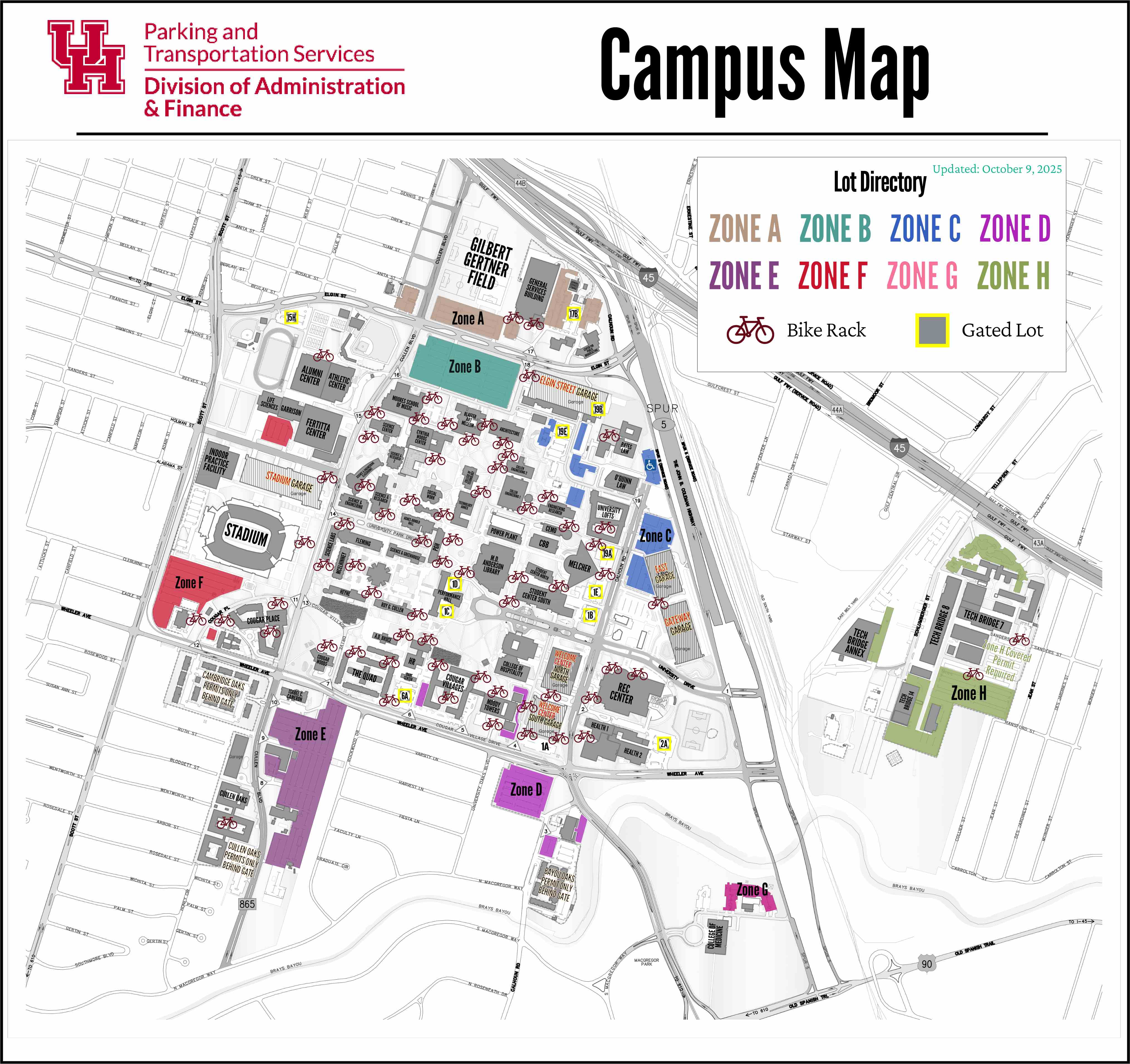
Bikes and scooters must be parked only at designated bike racks. Do not lock bikes
or scooters to railings, trees, signs, or fences. View bike rack map here.
Contact UHPD and notify Parking & Transportation Services. Registered bikes and scooters
are more likely to be recovered.
Common Bike Serial Number Locations
